
Find the Competition
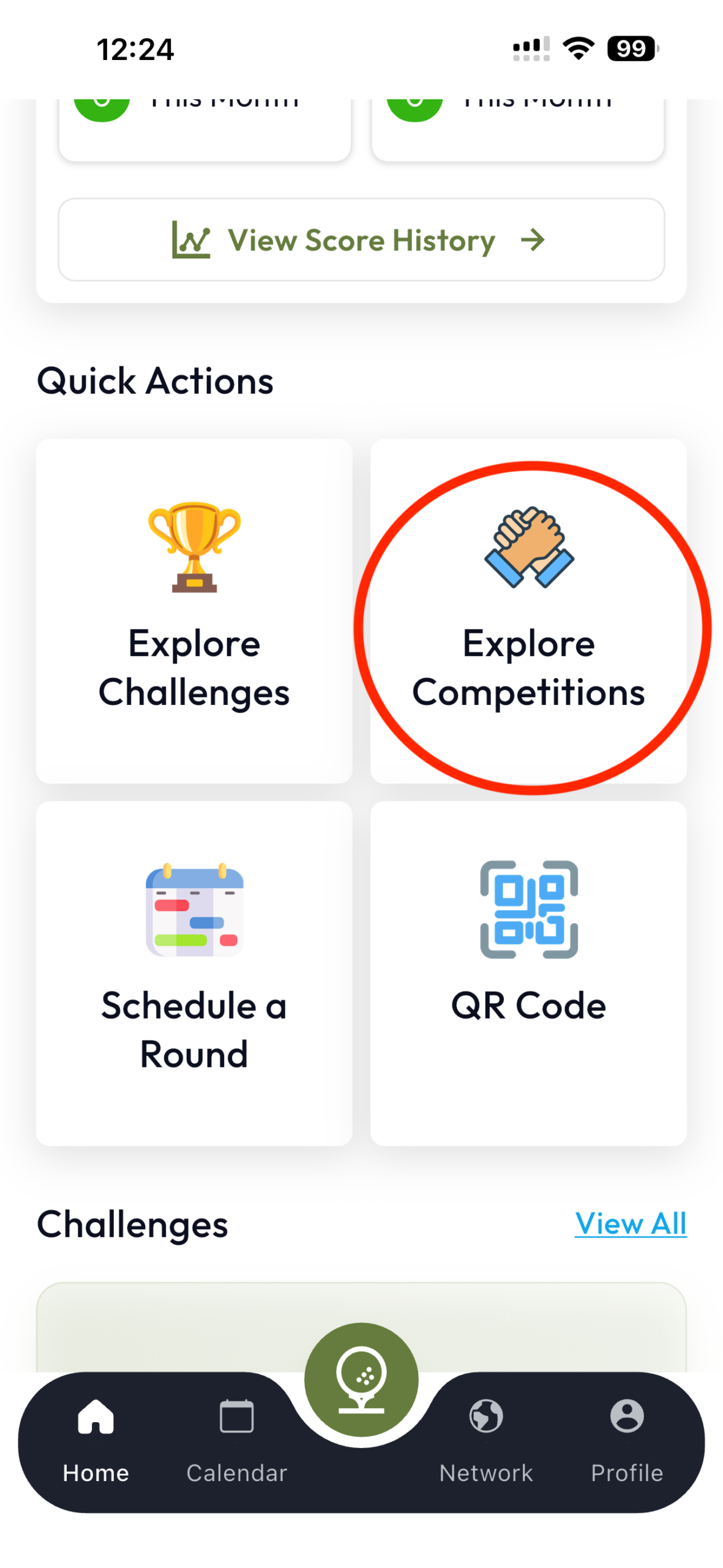
Find the Competition that you have joined or created by going into “Explore Competitions” screen from the Home Screen. You can also use the filters present in the screen like “Today”, “Upcoming” or “By You” to find it more quickly.
Join the Competition
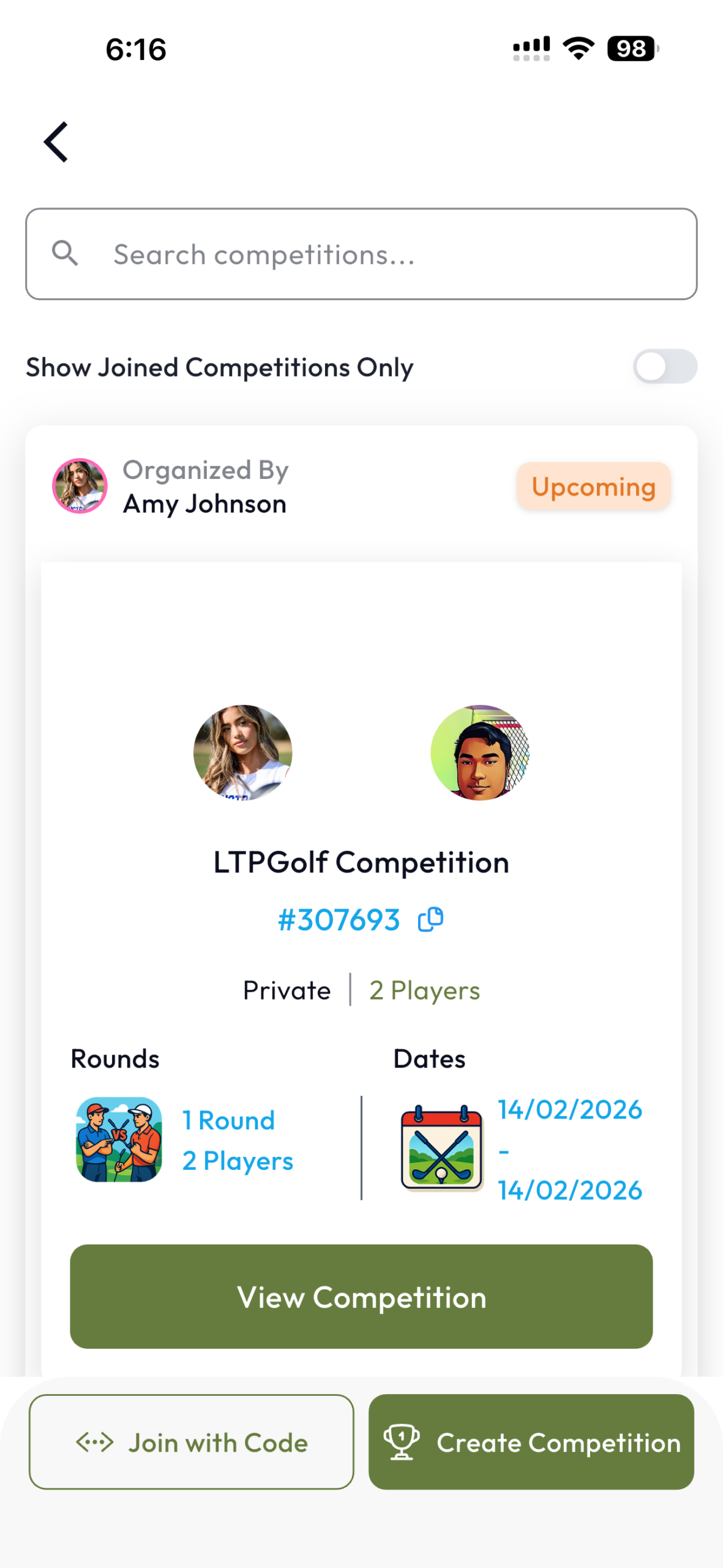
Go into the Competition details screen by tapping on “View Competition”.
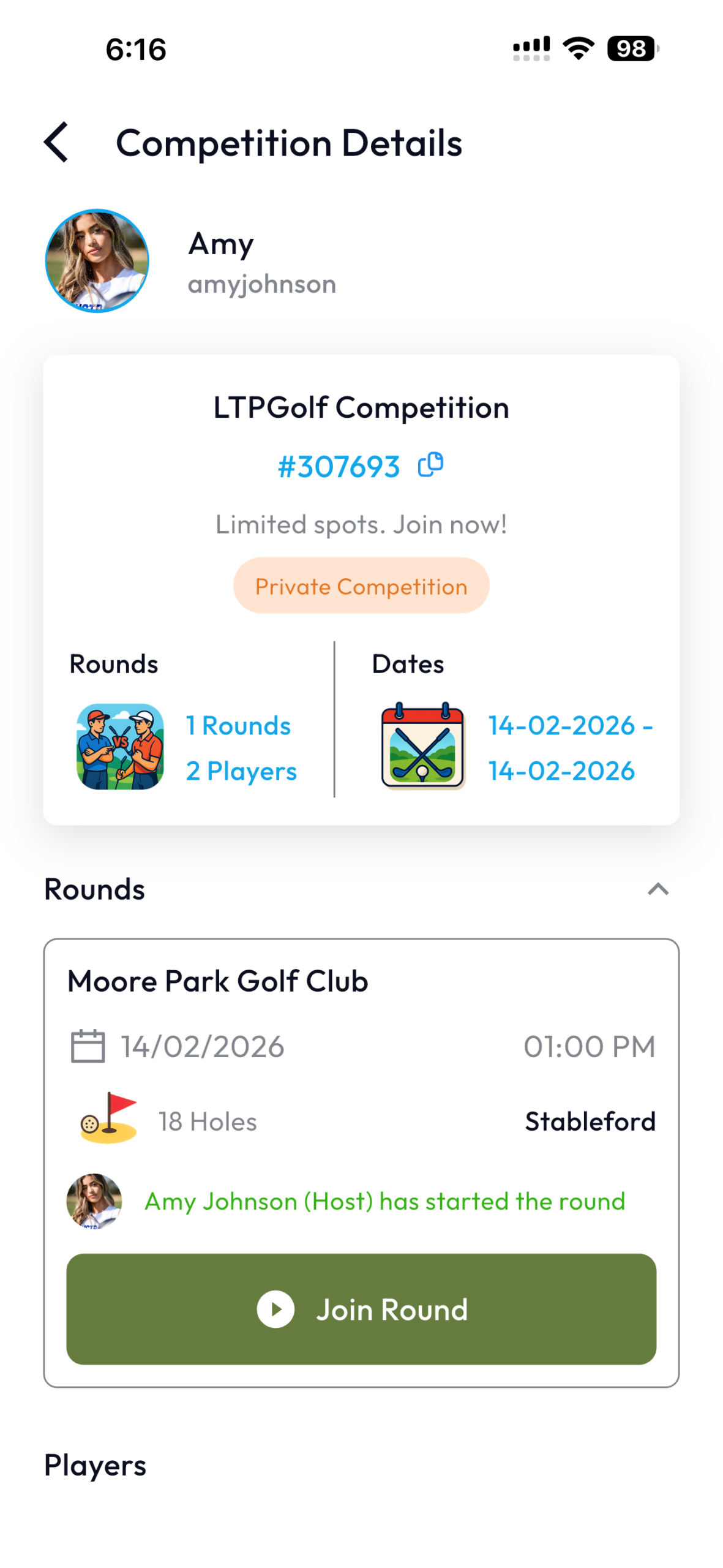
Then, tap on the green “Join Round” button. Note that a Competition may have multiple rounds over a few days.
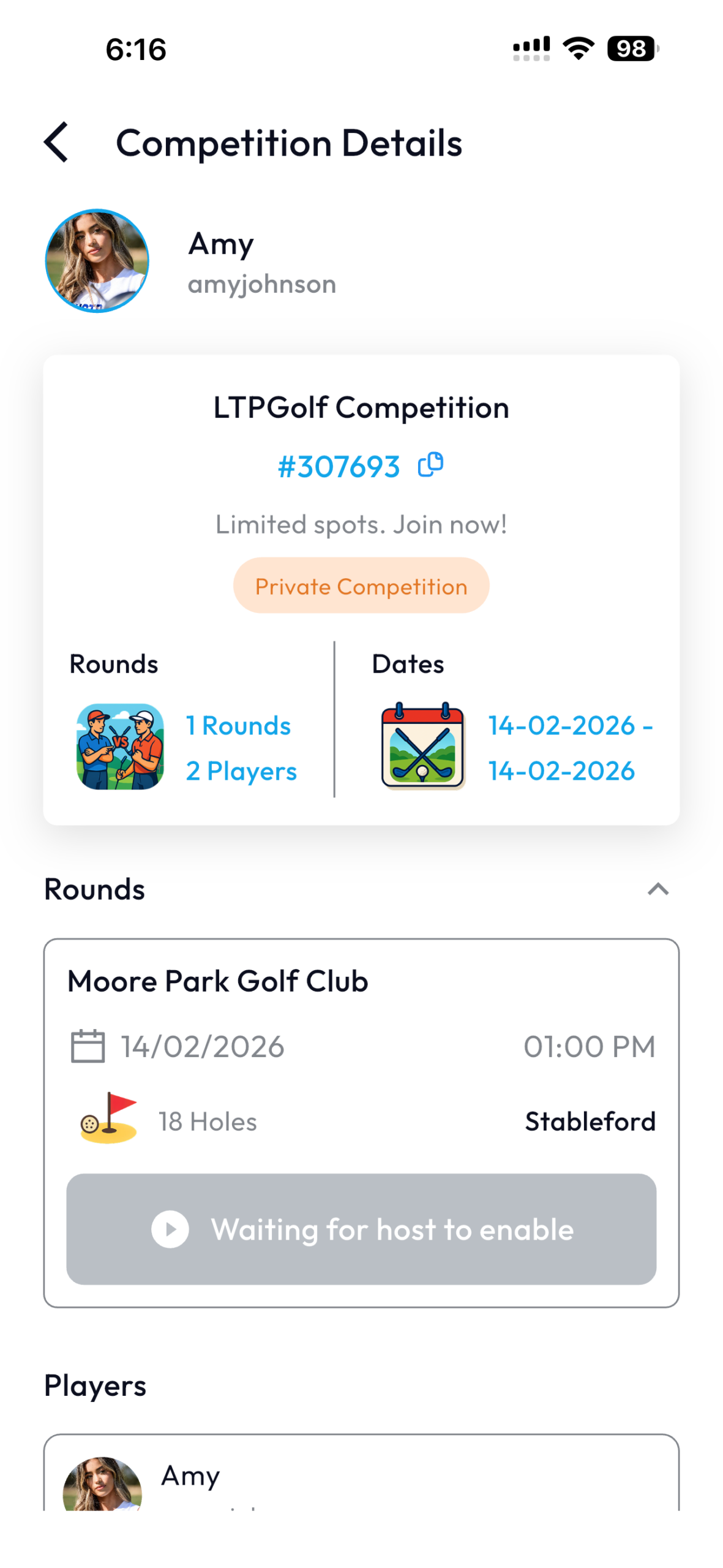
If “Join Round” button is not available or if it says “Waiting for host to enable”, it means that the host of this Competition is yet to start the particular round and allow the participating players to go in for scoring.
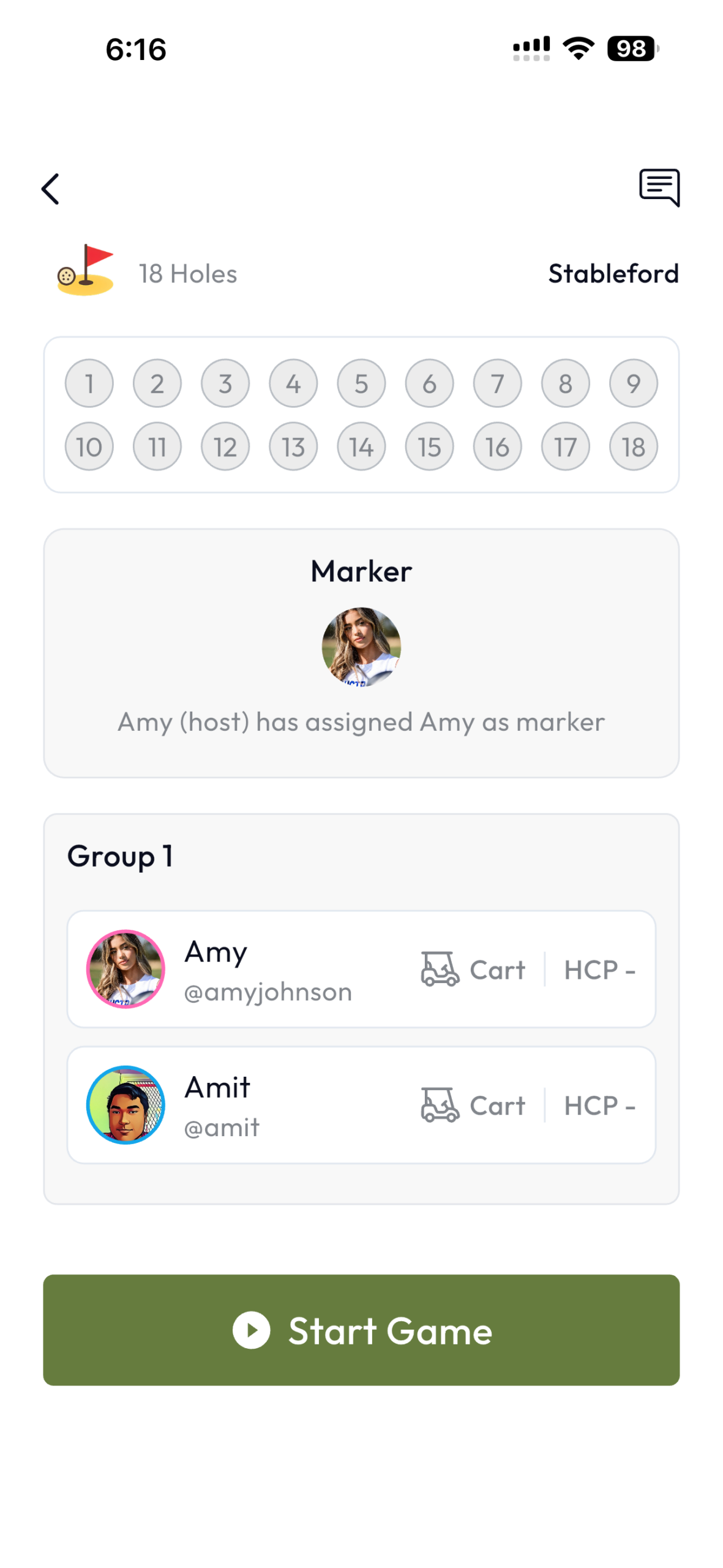
After tapping on “Join Round”, you can review the players & their handicaps in your group and tap on the “Start Game” button to proceed.
Keep Scores
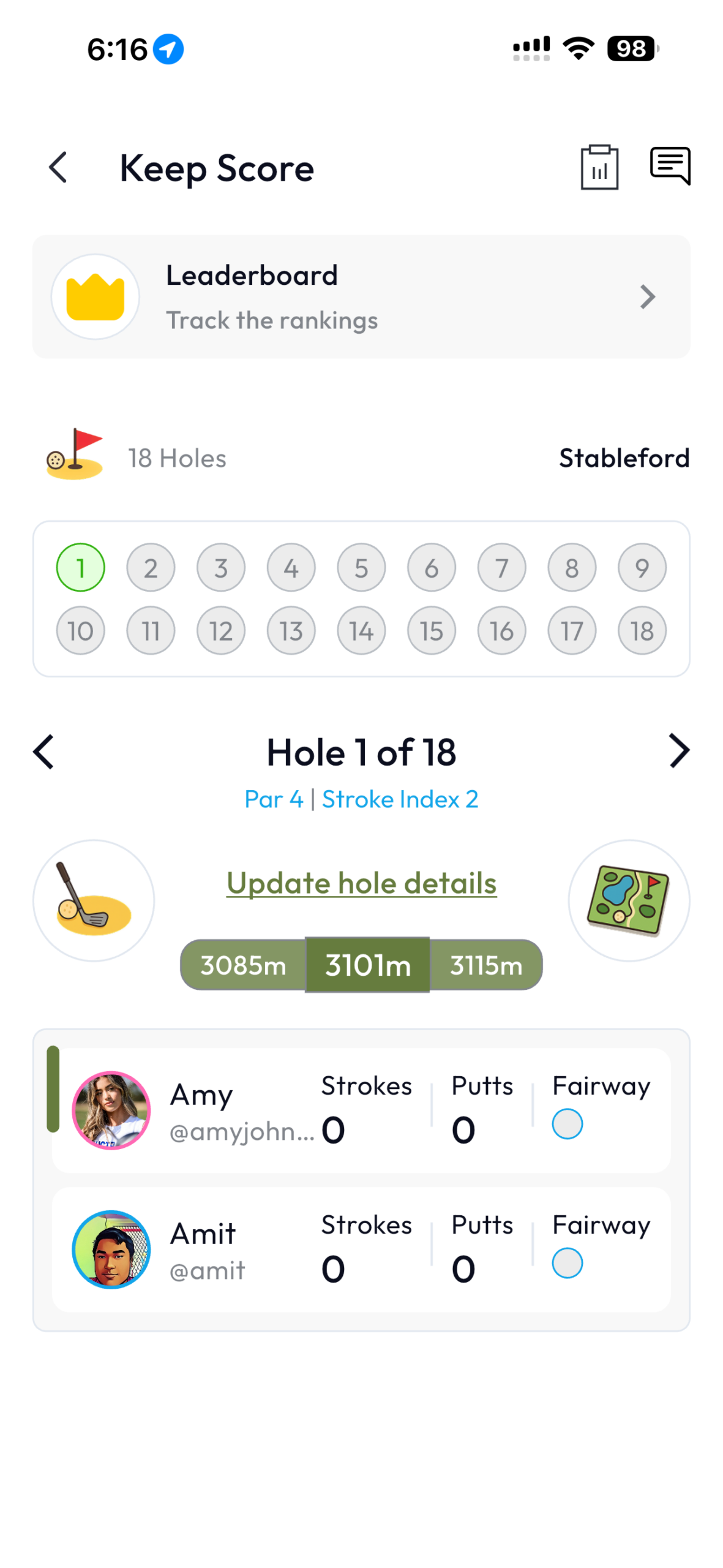
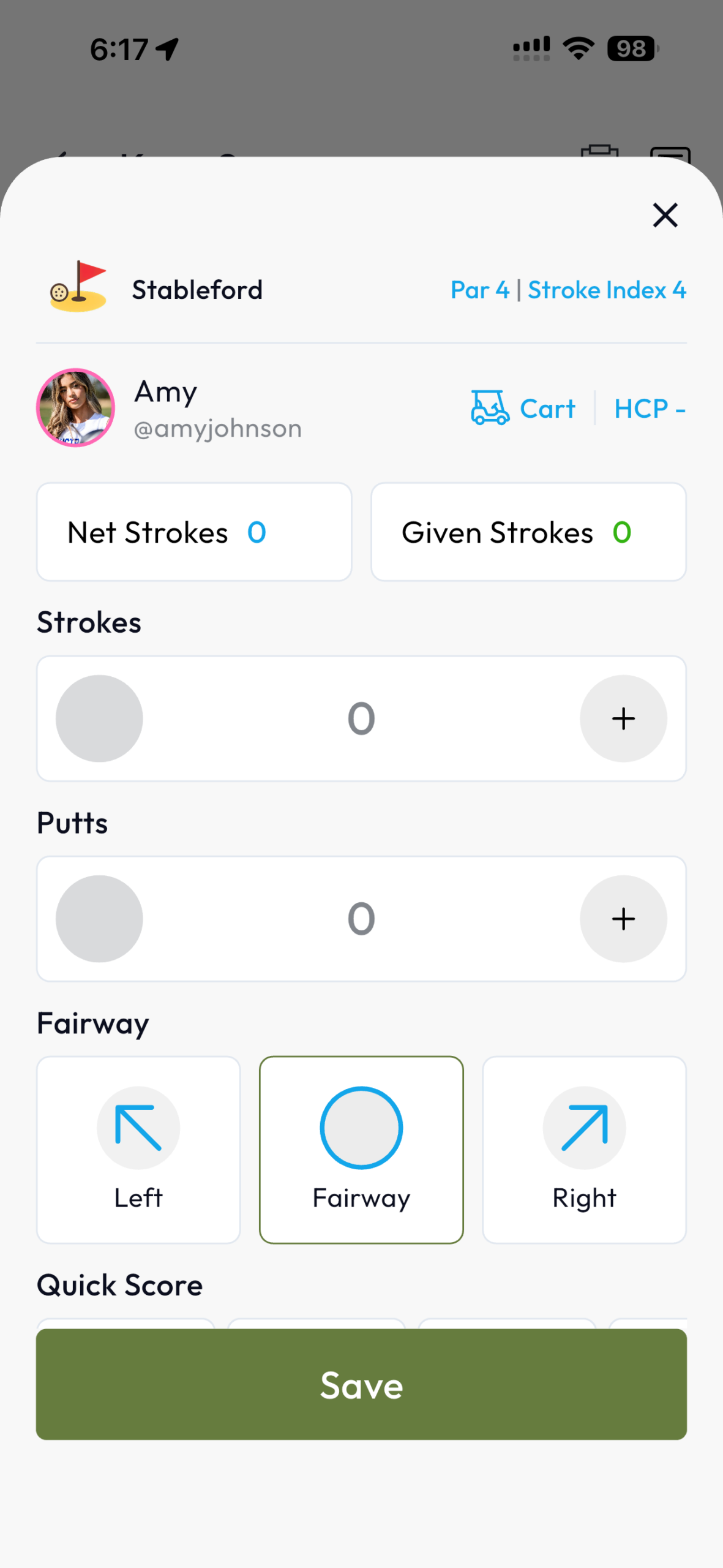
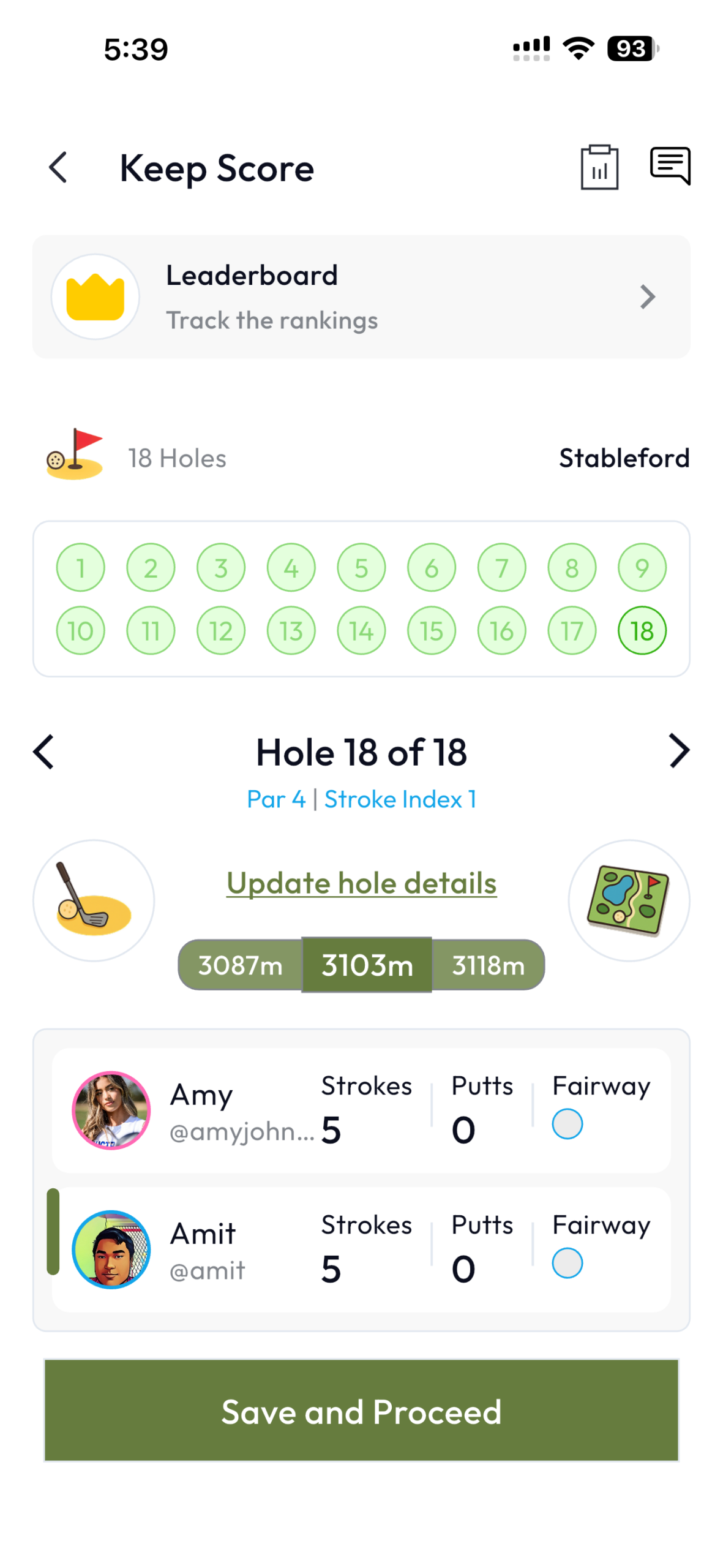
You will then be taken to the scoring screen. This is where you can score each players in your group by tapping on each of their profile, view the leaderboard, hole-by-hole details, distances to the green and GPS enabled map view of the hole.
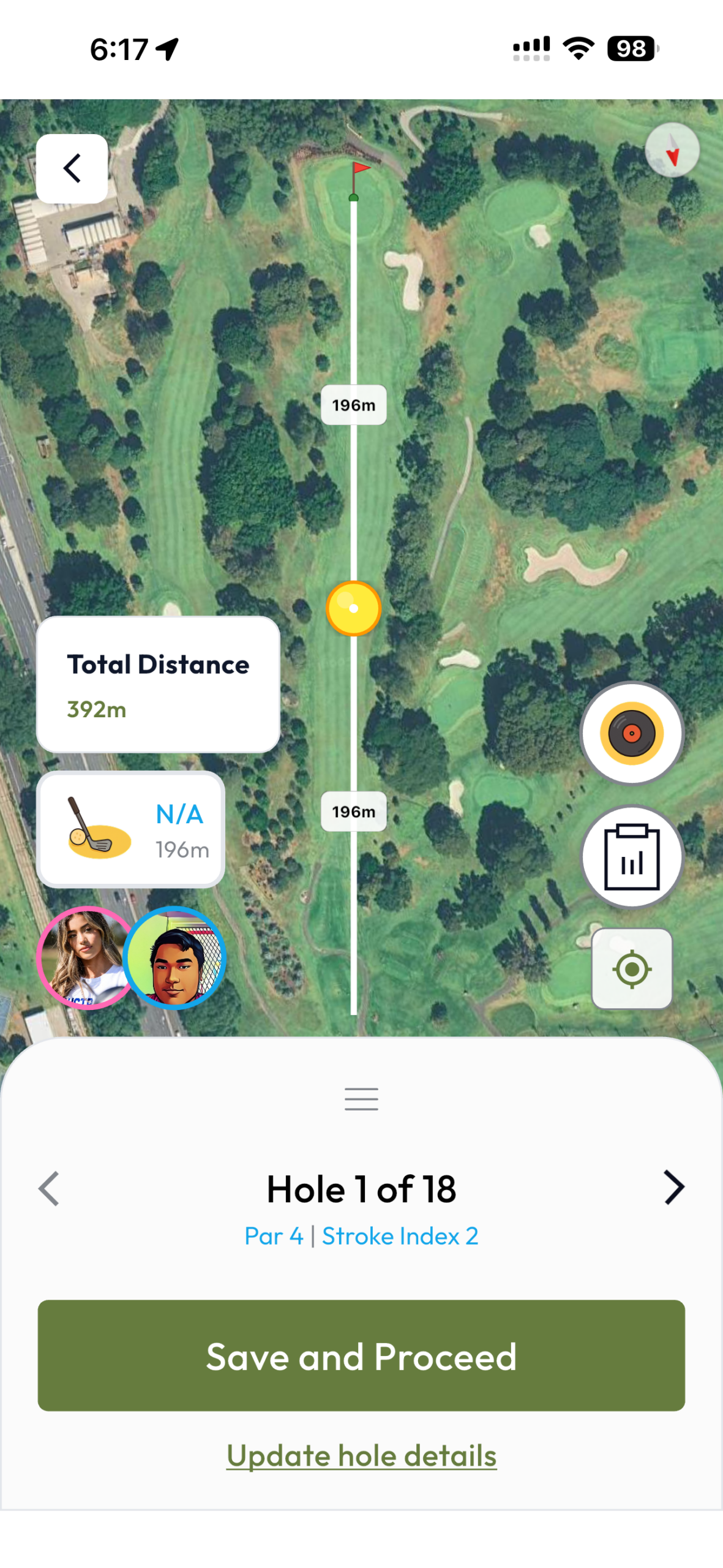
GPS View
To open the GPS view, you can tap on the map icon located on the lower right part of the scoring screen.
Submit the scorecard
If you’re a Non-Marker:
If you were not selected as a Marker for your group by the host, you are known as a Non-Marker. Non-Markers do not need to submit the scorecard, however, the scores you input will remain in your local device for review purposes. The scores your input as Non-Marker will be used to help you compare against what the marker of your group has scored for you.
Image
If you’re a Marker:
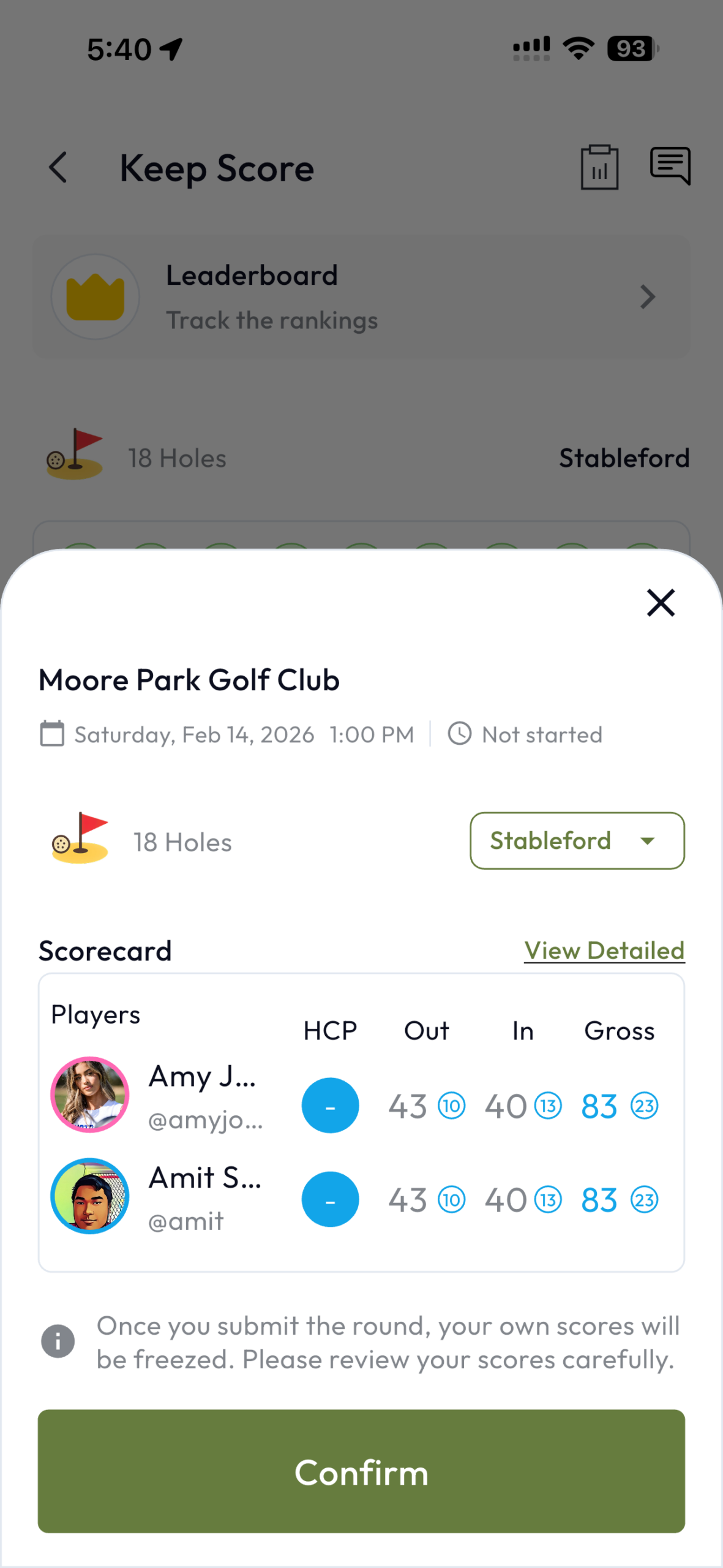
If you were selected as a Marker for your group by the host, you will be required to submit your group scorecard at the end of the game after filling in the scores of all players in your group.
Before the scorecard is finally submitted, the app will send review and confirm requests to the app of Non-Markers of the group with a timeout of 2 minutes so that they can review their own scores scored by the Marker and request amendments to their scores if necessary. If the Non-Markers do not take any action within 2 minutes, the scores will be considered as confirmed and the Marker can finally submit.
The host of the Competition will then go on to publishing the scorecard which will then be used towards LTPGolf Handicap calculation if the handicap calculation option was enabled for the Competition.